Table of Contents
ToggleBluetooth home theater speakers have evolved from tinny novelties to serious contenders in the audio world. Modern systems deliver room-filling sound without stringing speaker wire through walls or drilling holes in your trim. They’re especially practical for renters, anyone remodeling in stages, or homeowners who need flexibility as room layouts change. That said, wireless doesn’t mean compromise-free. Understanding codec support, latency issues, and placement fundamentals will make the difference between muddy dialogue and true cinematic immersion. This guide covers what actually matters when shopping, installing, and troubleshooting Bluetooth speakers in your home theater.
Key Takeaways
- Modern Bluetooth home theater speakers deliver room-filling sound without wall wiring, making them ideal for renters and flexible room layouts, though understanding codec support and latency is essential for quality.
- Low-latency codecs like aptX Low Latency and aptX Adaptive reduce audio-video sync delay to under 40 ms, imperceptible for viewers watching dialogue-heavy scenes.
- Proper placement—front speakers at ear height angled inward, center channel directly above or below the screen, and rear surrounds 2–3 feet behind seating—is critical for cinematic immersion.
- Driver size and power rating directly impact sound quality; aim for 4-inch woofers on front channels and 20–30 watts RMS per channel for 200-square-foot rooms, with a subwoofer for bass below 80 Hz.
- Bluetooth interference from Wi-Fi routers, microwaves, and USB 3.0 devices causes audio dropouts; moving the transmitter away from interference sources and switching Wi-Fi to 5 GHz often resolves the issue.
- Bluetooth home theater systems provide convenient, flexible installation compared to wired alternatives, delivering practical performance for most living rooms without the complexity of traditional professional setups.
Why Choose Bluetooth Speakers for Your Home Theater Setup
Bluetooth speakers eliminate the need for in-wall wiring, which is a dealbreaker if you’re working with finished drywall, brick, or plaster. Running 16-gauge speaker wire through studs requires wall fishing, patching, painting, and sometimes rerouting around fire blocking. Bluetooth sidesteps all of that.
They’re also modular. Add a pair of rear surrounds this month, a center channel next quarter, and a subwoofer when budget allows. Wired systems lock you into a layout: Bluetooth lets you rearrange furniture or repurpose speakers in another room without dealing with orphaned wire runs.
Latency has improved dramatically. Older Bluetooth protocols (SBC, basic AAC) lagged by 150–200 milliseconds, enough to make dialogue look dubbed. aptX Low Latency and aptX Adaptive cut that to under 40 ms, imperceptible for most viewers. Check that both your source device (TV, receiver, streaming box) and speakers support the same low-latency codec.
Range matters less than interference. Bluetooth 5.0+ theoretically reaches 240 feet in open air, but drywall, metal studs, and especially ducting or plumbing runs inside walls can chop that by half. If your room is more than 30 feet across or has a lot of metal framing, test placement before committing to speaker locations.
Key Features to Look for in Home Theater Bluetooth Speakers
Sound Quality and Audio Performance
Driver size directly affects bass response and overall volume. A 3-inch woofer won’t shake the couch, but paired with a dedicated subwoofer, it handles mids and highs cleanly. Look for systems with at least 4-inch woofers for the front left/right channels if you’re skipping a sub.
Frequency response spec sheets list ranges like 50 Hz–20 kHz. Anything below 60 Hz starts to feel like bass: below 40 Hz, you get sub-bass rumble. If your speakers bottom out at 80 Hz, you’ll need a subwoofer to fill in explosions and score hits. Don’t trust specs alone, manufacturers often inflate frequency response claims by measuring at the threshold of audibility rather than usable output.
Power rating (measured in watts RMS, not peak) tells you how loud the speaker can go cleanly. For a 200-square-foot room, 20–30 watts per front channel is adequate. Double that for larger spaces or if you’re competing with noisy HVAC. Underpowered speakers sound harsh when pushed: overpowered ones in a small room waste money on headroom you’ll never use.
Passive radiators or ported enclosures extend bass without adding driver size. Ported designs need clearance behind the speaker (usually 6 inches minimum) or the port chuffs and distorts. If you’re tucking speakers into built-in shelving, sealed or passive radiator designs work better.
Connectivity Range and Compatibility
Bluetooth Class 1 radios provide the longest range (up to 100 meters line-of-sight) but drain more battery. Class 2 (10 meters typical) is standard in most home speakers and sufficient for fixed installations. Range specs assume clear line-of-sight: each wall between source and speaker cuts effective range by roughly 25%.
Codec support determines sound quality and sync. SBC is universal but compressed. AAC works well with Apple devices. aptX and aptX HD offer better fidelity on Android and Windows sources. For home theater specifically, prioritize aptX Low Latency or aptX Adaptive, these keep audio and video in sync, critical when you’re watching dialogue-heavy scenes.
Check if your TV has Bluetooth output. Many 2023+ models do, but older sets require a Bluetooth transmitter connected to optical (Toslink) or 3.5mm output. Transmitters add another potential latency bottleneck, so buy one that explicitly supports aptX LL.
Multi-device pairing lets you switch between TV audio and music streaming from a phone without re-pairing every time. Not essential, but convenient if the system pulls double duty.
Best Placement Strategies for Optimal Bluetooth Speaker Performance
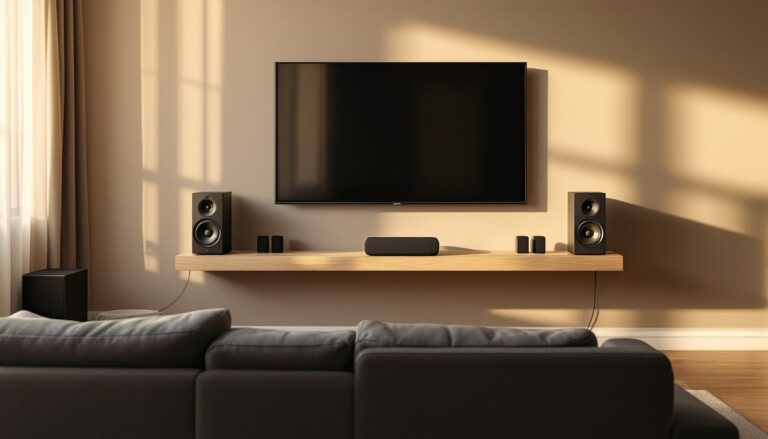
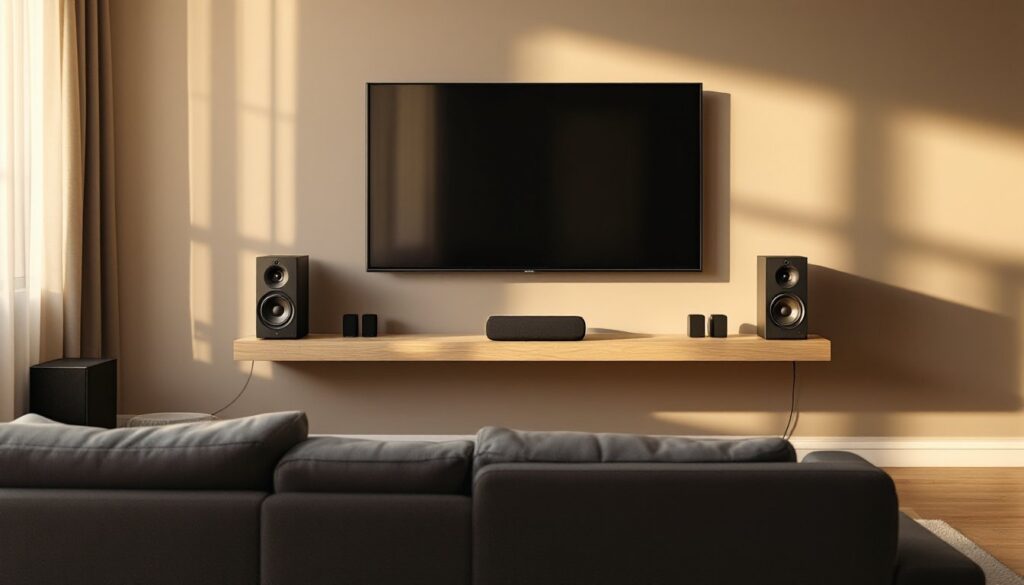
Front left and right speakers should flank your TV at ear height when seated, angled inward by 22–30 degrees (point them at your primary listening position). If mounting on walls, use drywall anchors rated for at least 50 lbs if you can’t hit a stud. Toggle bolts work in 1/2-inch drywall: use screw-in anchors for 5/8-inch or double-layer construction.
Center channel placement is non-negotiable for dialogue clarity. Mount it directly above or below the screen, within 2 feet vertically of the display. Laying it on its side inside a TV console is common but can muddy vocal frequencies if the cabinet vibrates. Add 1/2-inch foam isolation pads under the speaker to decouple it from furniture.
Rear or side surrounds work best at or slightly above ear level, 2–3 feet behind and to the sides of the seating area. Don’t push them into corners, boundary reinforcement boosts bass unevenly and smears imaging. If wall-mounting isn’t an option, bookshelf-style Bluetooth models on stands are easier to reposition as room use changes.
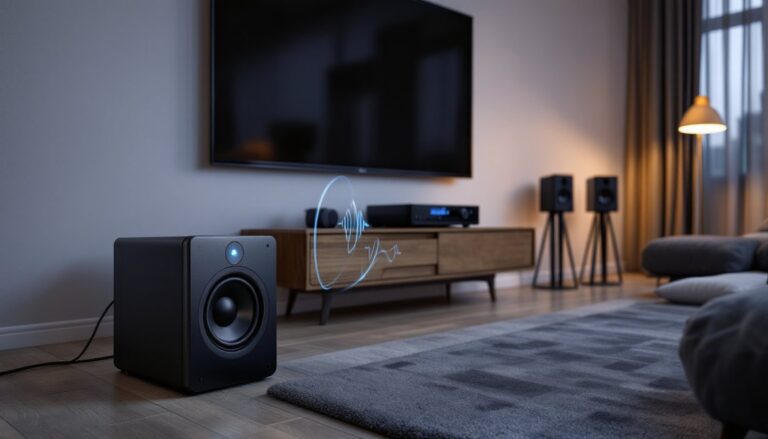
Subwoofer placement follows the “crawl test”: place the sub at your listening position, play bass-heavy content, and crawl around the room’s perimeter listening for where bass sounds tightest. That’s where the sub should go. Corner placement maximizes output but can create boomy one-note bass. A midwall position usually balances extension and accuracy.
Avoid placing any speaker inside closed cabinetry. Bluetooth signals struggle through wood doors, and trapped sound waves create comb filtering, peaks and dips in frequency response that make dialogue hollow or sibilant. If cosmetic concealment matters, use open shelving or acoustic-transparent grill cloth stretched over a frame in front of the speaker.
Setting Up Your Bluetooth Home Theater System: A DIY Installation Guide
Tools and materials: Stud finder, 3/16-inch drill bit, level, pencil, drywall anchors (if not hitting studs), wire management clips, speaker brackets (if wall-mounting), Bluetooth transmitter (if TV lacks native Bluetooth), optical or 3.5mm cable (for transmitter connection), safety glasses (drilling overhead).
Step-by-step installation:
-
Verify codec compatibility between your source device and speakers. Check the TV or receiver manual for supported Bluetooth profiles. If it lists only A2DP without codec specifics, assume SBC, you’ll want a transmitter with aptX LL.
-
Map speaker locations. Use painter’s tape to mark mounting points. Sit in your primary viewing spot and have someone hold a speaker at the proposed height. Adjust until it’s aimed at your ears, not the ceiling.
-
Locate studs with a stud finder (wood studs are typically 16 inches on center: metal studs may be 24 inches). Mark stud centers with a light pencil line. If a stud isn’t where you need it, use toggle bolts rated for the speaker’s weight plus 50% margin.
-
Drill pilot holes. For wood studs, use a 3/16-inch bit and drive 3-inch wood screws into the bracket. For drywall anchors, follow the anchor manufacturer’s hole size, usually 3/8 inch for toggles, 1/2 inch for heavy-duty plastic anchors.
-
Mount brackets and level speakers. Hang the bracket first, then attach the speaker. Use a torpedo level to confirm it’s not canted. Even a 5-degree tilt shifts the sweet spot.
-
Pair devices. Power on the speaker and put it in pairing mode (usually a long press on the Bluetooth button). On your TV or transmitter, open Bluetooth settings and select the speaker. Repeat for each channel. Some systems support daisy-chaining: others require pairing each speaker individually.
-
Run a test file with known sync issues, dialogue-heavy scenes from a movie, not music. If lips don’t match words, enable any “AV Sync” or “Lip Sync” delay setting in your TV’s audio menu. Adjust in 10 ms increments until dialogue aligns.
-
Cable management. Even wireless speakers need power. Run power cables along baseboards using adhesive cable clips spaced every 12 inches. If crossing a doorway, use a flat extension cord or install a shallow cable raceway to prevent tripping hazards.
Permit considerations: Mounting speakers to drywall doesn’t require a permit. If you’re running new electrical outlets to power them (rather than using existing outlets), that’s electrical work. Most jurisdictions require a permit and inspection for new circuits. Consult your local building department if adding dedicated outlets.
Common Bluetooth Home Theater Challenges and How to Fix Them
Audio dropouts or stuttering: Interference from Wi-Fi routers, microwaves, or USB 3.0 devices (which emit 2.4 GHz noise) causes this. Move the Bluetooth transmitter at least 3 feet away from the router. Switch your Wi-Fi to 5 GHz if possible, or use Bluetooth 5.0+ devices that handle congestion better. If dropout persists, check if your TV or receiver has a wired Ethernet option, freeing up the 2.4 GHz band often solves it.
Lip sync delay: Even with aptX LL, some TVs introduce processing latency in their video pipeline. Enable “Game Mode” or “PC Mode” on the TV, these reduce internal video buffering and often bring audio back in sync. If the TV lacks those modes, use the manual audio delay setting (found in sound menus) to push audio back by 50–100 ms until it matches.
Weak or inconsistent connection in rear speakers: Bluetooth is line-of-sight sensitive. If the transmitter is in a front AV cabinet and rear speakers are 25 feet away with a couch and media console in the path, signal reflection off walls causes multipath interference. Powerful audio options with extended range can help, but if repositioning doesn’t work, add a secondary Bluetooth transmitter near the rear speakers, fed by a long optical cable from the main receiver.
Unbalanced volume levels between channels: Not all Bluetooth speakers have individual volume controls. If your system supports it, adjust per-channel levels in the TV or receiver’s audio settings. If not, physical placement tweaks help, moving a speaker 12 inches closer to the listener increases perceived volume by about 1–2 dB.
Battery-powered speakers losing charge: If using portable Bluetooth speakers repurposed for home theater, keep them plugged in during use. Constant Bluetooth streaming drains batteries in 4–6 hours on most models. Consider switching to powered (AC-connected) bookshelf speakers designed for permanent installation, they’re more reliable for fixed setups.
Bluetooth home theater systems won’t satisfy purists chasing reference-grade fidelity, but for most living rooms, especially those where running wire isn’t practical, they deliver clean, room-filling sound without the install headaches. Stick to low-latency codecs, mind your placement basics, and troubleshoot interference methodically, and you’ll have a flexible system that punches well above its wireless convenience.